
Govern every Auth0 OAuth client from one dashboard.
Taco connects to Auth0 to inventory OAuth and OpenID Connect clients, validate new client requests, control scopes and audiences, and keep an audit trail of every change.
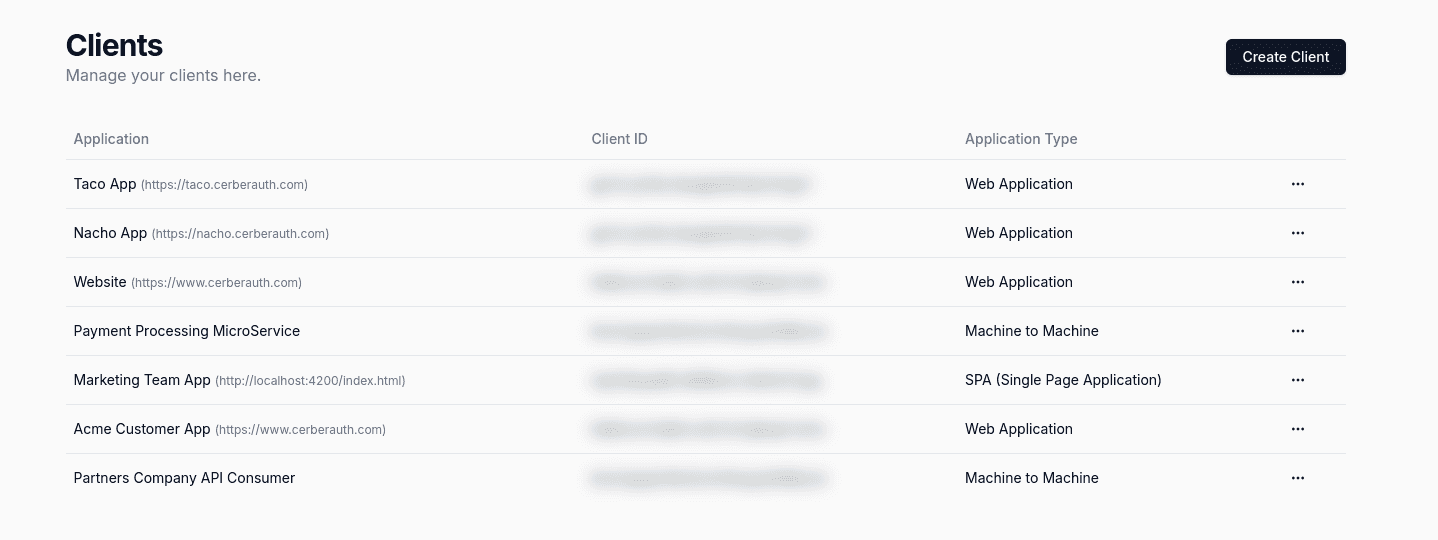
Your Auth0 tenant has more OAuth clients than anyone can explain.
Every team registers its own apps. Redirect URIs drift, secrets are never rotated, and nobody remembers who owns the client with full API access. Taco brings order to Auth0 client management without changing how tokens are issued.
Who owns this Auth0 client?
Taco builds an inventory of every OAuth and OpenID Connect client in Auth0, with owners, environments, and custom metadata your team can actually search.
Anyone with console access can create a client.
Route new Auth0 client requests through validation and approval. Grant types, redirect URIs, and scopes are checked against your policies before the client exists.
This client should not have access to that API.
Review and restrict scopes and audiences per client, and see at a glance which applications can call your most sensitive APIs.
Auth0 OAuth clients
A governance layer for your Auth0 clients.
Taco connects to the Auth0 admin APIs and manages OAuth and OpenID Connect clients on your behalf: creation, updates, approvals, and reviews.
Auth0 keeps issuing tokens and running your authorization flows. Taco makes sure the clients it serves are the ones you actually approved.
Nothing to migrate
Existing Auth0 clients are imported as-is. Your apps keep their client IDs and flows.
Policy before creation
Grant types, redirect URIs, and scopes are validated before a client reaches Auth0.
Full traceability
Every client change, approval, and secret rotation is recorded with who did it.
Connect your Auth0 environment
Give Taco admin API credentials for each Auth0 environment you want to govern.
Import and tag existing clients
Assign owners, environments, and metadata to the clients already registered in Auth0.
Enforce your client policies
New clients and changes go through validation and approval before they are applied in Auth0.
Best for IAM and platform teams running Auth0 across several teams or environments who need to know which clients exist and why.
Every Auth0 client. Known, owned, and approved.
Taco sits next to Auth0, not in front of it. Token issuance stays untouched — Taco manages the client configuration that Auth0 relies on.
🗂️
One inventory for all your Auth0 clients.
See every OAuth and OpenID Connect client registered in Auth0, across environments, with its owner, grant types, and last change. Add custom metadata so the inventory reflects how your organization works.
billing-web
authorization_code · owner: payments
reporting-batch
client_credentials · owner: data
test-app-2
implicit · owner: unknown
✅
Validate clients before they reach Auth0.
Teams request clients through Taco. Grant types, redirect URIs, and requested scopes are checked against your policies, and sensitive requests go to the right approver before anything is created in Auth0.
🛡️
A clear history for every client change.
Creations, scope changes, secret rotations, and approvals are logged with the requester and the approver. When a security review asks why a client can call an API, you have the answer.
Ready to get started?
Taco connects to Auth0 to inventory OAuth and OpenID Connect clients, validate new client requests, control scopes and audiences, and keep an audit trail of every change.
Request early access